EveryModel AI Review 2026: Is the "37 AI Models, One Dashboard" Claim Worth It?
A pay-once bundle promising access to 37 AI models sounds great on paper — here’s what the pricing and OTO structure actually add up to.
If you’ve priced out ChatGPT Plus, Claude Pro, Midjourney, and a translation tool separately, you already know the monthly total adds up fast — and that frustration is exactly what this EveryModel AI review is here to unpack. The pitch is simple: one dashboard, 37 AI models, a single payment instead of a stack of subscriptions.
This review covers what EveryModel AI actually includes, what the pricing and upsells really cost once you go past the front end, and where the vendor’s claims hold up against a more skeptical read.
I went through EveryModel AI’s public sales page, its demo video, and the JV/affiliate documentation used to recruit promoters for this launch — comparing what’s claimed against how similar AI-bundle products on this same launch platform have played out before. The first thing that stood out was how much the pricing shifts between the vendor’s own documents, which is where this review starts.

Table of Contents
What Is EveryModel AI?
The core pitch is a single dashboard that gives access to dozens of existing AI models — text, image, and translation tools — without needing separate subscriptions to each one. It’s positioned as a “pay once, use forever” alternative to paying monthly for ChatGPT, Midjourney, DeepL, and similar tools individually.
Two things worth knowing upfront:
- The pricing is inconsistent across the vendor’s own materials. One document lists the front end at $17 with upsells at $147, $279, $39, $39, $39, $39, and $67. A second vendor document (the JV/affiliate doc) lists the front end at $12 with upsells at $67, $197, $197, $167, $97, and $297. These don’t match each other — treat any price you see before checkout as provisional, since launch-funnel pricing on this platform is known to change hour by hour during the promo window.
- “Access to 37 AI models” does not mean EveryModel AI built those models. It almost certainly means the dashboard is a wrapper that calls the APIs of existing providers (OpenAI, Google, Anthropic, etc.) on your behalf. Whether all 37 are genuinely usable at full capability, or whether some are limited/throttled versions, isn’t disclosed anywhere in the materials I reviewed.
How It's Supposed to Work
Per the vendor’s own step breakdown (for the book-publishing use case highlighted in the sales material):
- Enter a keyword or prompt — a niche, genre, or rough idea (e.g., “keto recipes” or “sci-fi thriller with AI”).
- The tool researches the market — the vendor claims it pulls KDP/Audible demand data, competition levels, and keyword trends to land on a title and angle.
- It generates the full package — outlined book, manuscript, cover, formatting for Kindle/paperback/audiobook, AI narration, and metadata, claimed to take under 60 seconds.
- One click publishes to KDP and Audible.
This is the vendor’s described workflow, not a verified one. I’d treat “under 60 seconds” for a publishable manuscript, cover, and narration as a claim to test cautiously rather than take at face value — most AI-generated first drafts need real editing before they’re sellable.
About the Creator

The JV (affiliate) documentation lists Pallab Ghosal as the contact for this launch, with a Facebook profile link provided for JV/affiliate inquiries. Beyond that contact detail, the materials I was given don’t include a creator biography, a list of past product launches, or any independently verifiable track record. If a creator history matters to your buying decision, search the launch platform (LaunchpadJV, per the JV doc) directly for Pallab Ghosal’s past launches and their refund/complaint history before buying — I can’t verify that from the documents provided.
How to Use EveryModel AI: Beginner Tutorial
If you’ve never used a tool like this before, here’s what the vendor’s own walkthrough describes:
- Sign up and log into the dashboard. One login is meant to cover all 37 bundled models — no separate accounts needed.
- Pick a model or DFY template. Choose the AI model that fits your task (text, image, translation) or start from one of the pre-built niche prompts.
- Enter your keyword or prompt. Same input step whether you’re writing a blog post, generating an image, or starting the KDP book workflow.
- Review and edit the output. The vendor doesn’t emphasize this step, but it matters — treat the first output as a draft, not a finished product.
- Export, publish, or apply your commercial license. Download the output, publish it (e.g., to KDP/Audible), or use it in client work under the included commercial license.
The vendor’s marketing claims most people are live within minutes of signing up. I can’t confirm actual onboarding time since I haven’t used the dashboard myself — treat that figure as a vendor estimate.
EveryModel AI Pricing: Is It Worth It?
The front end alone ($12–$17, depending on which vendor page you land on) includes the core dashboard, access to all 37 listed models, the DFY prompt library, and a commercial license — enough for someone who just wants to try the tool without committing to any upsell. Whether that’s “worth it” depends entirely on how well the wrapped models actually perform compared to using each one directly, which isn’t something this review can confirm. If you go beyond the front end, the cost climbs fast: even a modest combination of two or three OTOs can put you past $200–$300, so treat the headline price as a trial cost, not the real budget for the full toolkit.
EveryModel AI vs. Buying AI Tools Individually
| Feature | EveryModel AI | Subscribing Individually |
|---|---|---|
| Cost | One-time payment (if pricing holds) | Monthly, per tool ($20–$30/month each is typical) |
| Model Quality | Unverified — depends on how the wrapper accesses each model | Full, direct access to each provider’s current model |
| Model Freshness | Vendor claims future upgrades are included | Automatic, provider-controlled |
| Flexibility | Locked to the vendor’s dashboard/interface | Native apps and interfaces for each tool |
| Support | 24/7 support claimed, unverified | Provider-level support for each tool |
Where a bundle like this could win: if you only need occasional, light use of several models and don’t want to juggle multiple subscriptions or logins. Where individual subscriptions win: if you rely heavily on any one model for serious work — direct access generally means full capability, the latest version, and no wrapper-related limitations or delays.
Pricing and Upsell (OTO) Breakdown
Based on the JV documentation, here’s the funnel structure:
| Tier | Price | What It Adds |
|---|---|---|
| Front End (Basic) | $12–$17 | Core dashboard, access to 37 AI models, DFY prompts in 20 niches, commercial license |
| OTO1 — Pro | $67–$147 | Unlimited projects, research, designs, voiceovers, downloads, translations |
| OTO2 — Enterprise | $197–$279 | Premium templates, prompts, workflows, stock image/video/vector libraries |
| OTO3 — DFY | $197 | Marketplace to resell your own digital products |
| OTO4 — 10X Traffic | $39–$167 | “Traffic” and automation add-ons (video hosting platform, per one source) |
| OTO5 — Platinum | $39–$97 | 100% profit rights on the funnel |
| OTO6 — Diamond | $39–$297 | DFY websites, sales copy, social posts, SEO content resale rights |
| OTO7 — Reseller | $67–$197 | Full reseller rights to EveryModel AI itself |
If you bought every tier, the total ranges from roughly $500 to over $1,000 depending on which price sheet is accurate — a meaningful gap from the “$17” or “$12” headline price.
Coupon Code
Two codes appear in the vendor’s affiliate materials:
- EMVIP — $5 off the whole funnel
- EMBIG — 30% off the whole funnel
Pros and Cons
Potential pros:
- One dashboard, one price for tools that would otherwise mean several separate subscriptions.
- Commercial license included on the front end, useful if you plan to sell outputs.
- Guarantee offered (see below) reduces some risk of trying it.
Real limitations(CONS):
- [IMPORTANT LIMITATION] No independent verification that all 37 models perform at full quality — API-wrapper products often throttle or limit the underlying models compared to using them directly.
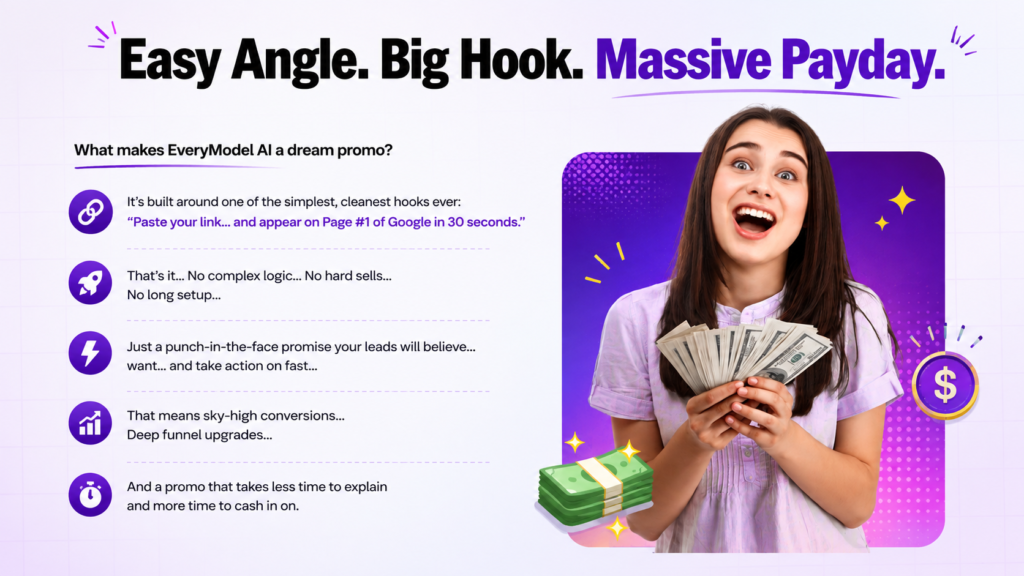
- [IMPORTANT LIMITATION] The affiliate traffic method promoted in the JV materials (posting links inside existing ranking content) risks account bans on the platforms it targets, and could expose end users of the “make money” angle to the same risk.
- [MINOR ISSUE] Pricing is inconsistent across the vendor’s own documents, so the real out-of-pocket cost if you want the full suite isn’t clearly known before checkout.
- [MINOR ISSUE] Heavy upsell funnel (7 OTOs) is typical of this launch platform but means the “$17” headline is far from the real cost of the full toolkit.
EveryModel AI Key Features: What You Actually Get
Based on what the sales and JV materials list, here’s what’s included:
- 37 AI models in one dashboard — text, image, and translation tools under a single login instead of separate accounts. Real-world example: switching between a writing model and an image model without re-logging in anywhere. Limitation: no independent confirmation of how close each wrapped model runs to using it directly.
- DFY (done-for-you) prompts in 20 niches — pre-written prompt templates for common use cases. Useful mainly for beginners who don’t want to write prompts from scratch; more experienced users will likely want to customize them anyway.
- Full commercial license (front end) — lets you sell work created with the tool. Worth checking the exact license terms before offering paid client work, since “commercial license” scope varies a lot between vendors.
- KDP/Audible publishing workflow — keyword-to-published-book pipeline described in the “How It’s Supposed to Work” section above. Best suited to people prototyping book ideas quickly, not as a replacement for editing and quality control.
- 24/7 support (claimed) — response times and support quality aren’t verifiable from the materials provided.
- One-time payment, no subscription (claimed for front end and OTOs) — worth reconfirming at checkout, since “AI wrapper” tools sometimes add usage-based costs later if the underlying API calls get expensive for the vendor.
Real-World Use Cases
Based on the features the vendor lists, here’s how the tool is meant to apply in practice:
- A blogger testing new content ideas could use the DFY prompts and text models to draft posts across several niches quickly, then edit before publishing — saving time on the first-draft stage rather than the whole process.
- A first-time self-publisher could use the KDP workflow to go from a rough book idea to a structured draft and cover concept in one sitting, then hand the manuscript to an editor before listing it for sale.
- A small business owner could use the bundled image and translation models to produce basic social media graphics and translate product listings into a couple of extra languages, instead of hiring out each task separately.
These are realistic applications of the advertised features, not projected earnings or guaranteed outcomes — actual results depend on the output quality of the wrapped models, which this review has not independently verified.
Who Might Get Value From This
- Solo marketers or side-hustlers who currently pay for 2–3 separate AI subscriptions and want to consolidate into one dashboard, if the pricing and model access hold up as advertised.
- Self-publishers experimenting with KDP who want a fast first-draft/cover starting point — with the expectation that real editing and formatting review still follows.
- Agencies or freelancers offering AI-generated content services who want a commercial license bundled in, rather than negotiating licensing per tool.
Who Should Skip It
- Anyone who depends on one specific model at full capability (e.g., heavy Claude or ChatGPT power users) — a wrapper is unlikely to outperform going direct.
- Anyone put off by heavy upsell funnels — with 7 OTOs and inconsistent pricing across the vendor’s own documents, the real cost of the full suite is unclear until checkout.
- Anyone considering the affiliate “traffic hack” angle — placing links inside already-ranking third-party content risks platform bans and isn’t a sustainable strategy.
Money-Back Guarantee
The front-end listing mentions a money-back guarantee; one of the upsells (EveryModel AI 10X) separately advertises a 365-day guarantee. The exact terms, refund process, and whether it covers upsells aren’t spelled out in the materials provided — check the official checkout page for the specific policy before buying.
FAQ
Is EveryModel AI worth it in 2026?
It depends on your use case. For light, occasional use across several AI tools, the front-end tier is a low-cost way to try it. For heavy, serious use of any single model, direct subscriptions are the safer bet — this review couldn’t verify wrapper quality against native access.
Can beginners use it?
The vendor markets it as “100% newbie friendly” with no tech or writing experience needed. That claim is unverified since I haven’t used the dashboard directly.
Is it a one-time payment or a subscription?
The front end and OTOs are marketed as one-time payments (“zero subscriptions or monthly fees”). Confirm this holds at checkout, since AI-bundle products occasionally add renewal fees for API costs later.
Are the OTOs necessary?
No — the front end includes the core 37-model dashboard. The OTOs mostly add unlimited usage, templates/libraries, and reseller/agency rights, which are only useful if you plan to scale usage or resell.
How does it compare to using ChatGPT, Claude, or Midjourney directly?
Direct subscriptions give full, native access to each model. EveryModel AI trades some of that certainty for consolidation and (if pricing holds) a lower one-time cost — see the comparison table above.
Is there a coupon or discount available?
Yes — EMVIP ($5 off) and EMBIG (30% off), per the vendor’s affiliate materials. Unverified by me; confirm at checkout.
What happens after the refund window closes?
Not specified in the materials provided. Check the official checkout page for exact guarantee terms before buying.
Who created it, and are they trustworthy?
The JV documentation names Pallab Ghosal as the launch contact. No independent creator history was available in the materials provided — verify their track record on the launch platform directly.
Does it work for self-publishing (KDP/Audible) specifically?
That’s one of the two use cases the vendor emphasizes most, with a described one-click publish-to-KDP/Audible workflow. Expect to still edit and review AI-generated output before publishing, regardless of the vendor’s speed claims.
Final Verdict
Buy the front end if you want a low-cost way to test a multi-model AI dashboard and you’re fine treating the pricing and performance claims as unverified until you try it yourself. Skip the upsells until you’ve confirmed the front end actually delivers on the core promise — the OTO stack can more than double your spend before you know if the base tool is any good.
My honest take on this EveryModel AI review: the front-end tier is a reasonable, low-risk trial given the guarantee, but the inflated “hijack Google” traffic pitch and the inconsistent pricing across the vendor’s own documents are real reasons to go in cautious rather than convinced.
If your main problem is paying for and juggling logins across several separate AI subscriptions, EveryModel AI is worth checking at the current offer price. Review the checkout terms and available guarantee information before buying.
Affiliate Disclaimer:
This website contains affiliate links. If you choose to purchase products through these links, I may earn a small commission at no additional cost to you. Please note that I only recommend products that I have thoroughly researched or tested and believe will provide genuine value. My goal is to help you make informed decisions. Thank you for supporting this site!
Sasi Digital
Privacy Policy | Terms & Condition | Earning Disclaimer
© 2026 Sasii Digital. All rights reserved
💬 Leave a Comment
Click to rate