AI AdsAgency Builder Review 2026: What's Actually Inside the Funnel
If you’ve seen this pop up in your inbox with promises of a “done-for-you ad agency” and a $500–$5,000/month price tag attached, you’re probably wondering how much of that is real and how much is launch hype. Here’s what’s actually in the offer, based on the vendor’s own sales materials and funnel documentation.
If you’ve gotten an email pitching “your own AI ad agency in 60 seconds,” you’ve probably learned to be skeptical of that kind of language by now. Subject lines promising you’ll replace designers, editors, and copywriters with one prompt tend to overpromise, and a $500 to $5,000/month income claim attached to a $14.95 entry price is exactly the kind of thing worth slowing down on before you buy. That’s what this AI AdsAgency Builder review is built to do.
This review pulls together everything available in the vendor’s public materials: the sales page, the JV/affiliate kit, the funnel and commission documentation, and the email swipes used to promote the launch. Between those sources, there’s a fairly complete picture of what the tool claims to do, what it actually costs once you account for all 10 upsells, who’s behind the launch, and what the guarantee terms are said to be.
What this review won’t do is pretend to have run the tool. No hands-on testing was performed, no output samples were generated, and no personal results are claimed anywhere in this article. Instead, the approach here is the same one worth applying to any pre-launch or early-launch offer without vendor review access: read the sales materials closely, cross-check the numbers against each other, and flag anything that doesn’t add up before you spend money on it.
That cross-checking turned up something worth knowing upfront: the vendor’s own materials don’t agree with each other on the front-end price. The JV/affiliate kit lists it as $17 on a “dime sale” (meaning the price is designed to climb during the launch), while the funnel documentation and every email swipe list it at $14.95. That’s not a typo in this review, it’s a real inconsistency in what the vendor has published, and it’s the first sign that it’s worth reading the fine print rather than taking the marketing at face value.
Lorem ipsum dolor sit amet, consectetur adipisBeyond the pricing mismatch, the bigger gap worth understanding before you buy is between the headline price and what it actually costs to unlock everything the sales page promises. Getting from the front end to unlimited use, done-for-you delivery, and full agency or white-label rights means working through a 10-tier upsell funnel that can add over $1,000 on top of the entry price. The rest of this review breaks down exactly what each of those tiers unlocks, what’s confirmed versus vendor-claimed, and who this offer realistically makes sense for.cing elit. Ut elit tellus, luctus nec ullamcorper mattis, pulvinar dapibus leo.
Table of Contents
What Is AI AdsAgency Builder?
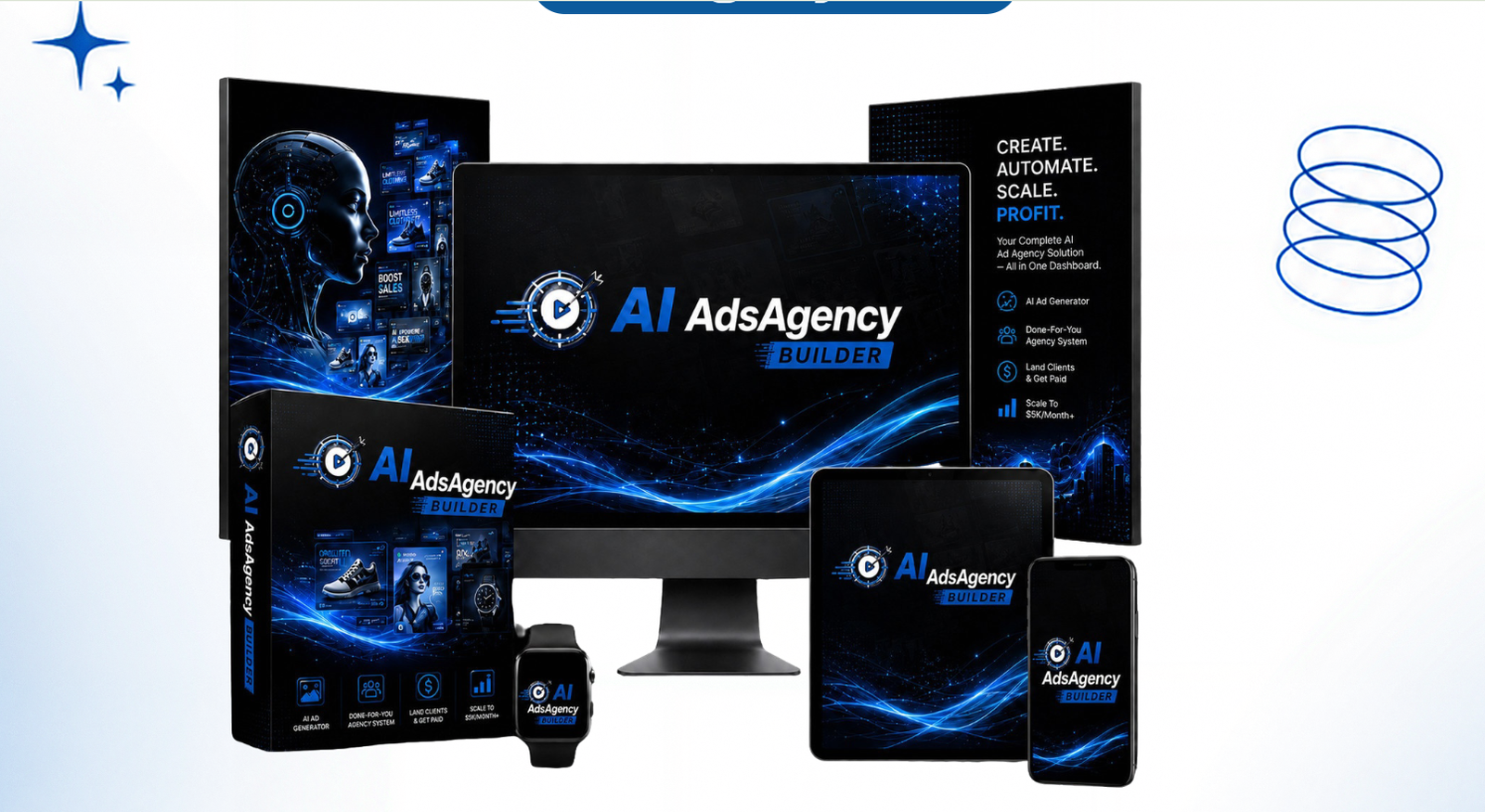
AI AdsAgency Builder is a subscription-style, one-time-payment tool that positions itself as a way to generate AI ad images, AI ad videos, and ad copy from a single prompt, then package that output as a paid service to local businesses or clients. The vendor’s materials list it as powered by AI image and video models, with the sales page referencing Claude Opus and Gemini 3.5 as the underlying models. I have not independently verified which models are actually wired into the product, so treat that claim as vendor-stated, not confirmed.
The pitch is built around a “single-prompt workflow”: you type in an offer or business description and the tool is supposed to output a full ad campaign — images, video, voiceover, captions, and copy — across platforms like Facebook, Instagram, TikTok, YouTube, and Google. It’s promoted through the LaunchPad affiliate network, under the niche of AI marketing software and done-for-you agency tools.
Quick Answer
Price: $14.95 to $17 front end (vendor materials disagree — see Note on Pricing below) Best for: People wanting to test AI ad-creative tools cheaply before committing to the upsell funnel Main limitation: Heavy 10-OTO upsell structure; real cost to unlock full functionality is likely much higher than the front-end price Verdict: Reasonable low-risk entry point, but budget for the funnel before assuming the front-end price gets you the full agency
Why AI AdsAgency Builder Stands Out?
Based on the vendor’s materials, a few things separate this from a typical single-purpose AI image tool. Whether these hold up in practice hasn’t been independently confirmed, but here’s what the offer is actually built around.
- It bundles three outputs instead of one. Most AI ad tools generate images only, or video only. This one claims image, video, and copy generation from the same prompt in one dashboard, which is a wider scope than most competitors in this price range.
- The resale system is built in, not bolted on. Client management, outreach scripts, and pricing sheets are packaged with the core app rather than sold as a separate “how to sell this” course, which is a common upsell in this niche.
- Commercial and agency licensing is included at multiple tiers, not locked behind a single all-or-nothing purchase, so buyers can pick the resale scope that matches what they actually plan to do.
- It’s positioned as a one-time cost against a recurring alternative. The vendor frames the front end as a lifetime-access replacement for hiring a designer, video editor, and copywriter separately, each of whom would typically cost a recurring monthly fee.
About the Creator

AI AdsAgency Builder is promoted through LaunchPad by Justin Opay, who runs affiliate support for the launch via Facebook (facebook.com/justinpixabuild) and a Freshdesk support desk (pixabuild.freshdesk.com). Beyond the launch contact details, no independently verifiable track record, past product history, or platform reputation data was available for this review.
How Does AI AdsAgency Builder Work?
Based on the vendor’s sales page and email swipes, AI AdsAgency Builder is described as working in 3 steps, framed as a “type a prompt, get a campaign” process rather than a traditional design workflow.
Step 1 — Log in and open the dashboard. The vendor describes it as fully cloud-based, with no software to download and no technical setup required. You’re meant to log in from a desktop or mobile browser and get straight to creating.
Step 2 — Type your prompt and pick a format. You describe the offer or business you’re making ads for, then choose what you want out: a single ad image, a video ad, or a full campaign that includes both plus copy. The vendor states the generation, images, video with voiceover and captions, and headline/hook copy, runs through the same dashboard, sized for whichever platform you select (Facebook, Instagram, TikTok, YouTube, or Google) and in the correct ratio for that platform.
Step 3 — Export and deliver. Once the creative is generated, you download it and hand it to a client, or route it through the built-in agency dashboard if you’re managing multiple client projects. The vendor’s materials also mention done-for-you outreach scripts, proposal templates, and pricing sheets bundled in at this stage, meant to help you close and bill the client rather than just hand over files.
That 3-step framing is consistent across the vendor’s sales page and every email swipe, so it’s likely the actual onboarding flow rather than just marketing language. What isn’t confirmed, since no hands-on testing was performed for this review, is how much prompt refinement or manual editing it typically takes before an output is genuinely client-ready, and how consistent quality is across different niches or ad formats.
Quick Answer
Price: $14.95 to $17 front end Best for: Testing whether a single-prompt workflow fits your process Main limitation: Output quality and how much editing is needed aren’t independently confirmed Verdict: Workflow claim is straightforward on paper; treat the “instant, done” framing with some skepticism until independently verified
What Stood Out During My Evaluation of AI AdsAgency Builder
This evaluation is based on the vendor’s sales page, the JV/affiliate kit, the funnel and commission documentation, and the full set of email swipes used to promote the launch. Cross-referencing those sources against each other, rather than reading any single page in isolation, is what surfaced most of what’s below.
The first thing that stood out was the gap between the “activate, don’t build” framing in the marketing and what the actual described workflow requires. The sales copy leans hard on “60 seconds” and “autopilot” language, but the vendor’s own 3-step walkthrough still has you writing the prompt, reviewing the output, and personally handling client outreach and delivery. That’s not necessarily a problem, most legitimate tools require some ongoing input, but it’s a real distance between the subject-line promise and the documented process.
The second thing worth flagging is the pricing inconsistency between the JV kit ($17 dime sale) and the funnel documentation and swipes ($14.95). Sales materials for the same launch disagreeing on the entry price is a minor red flag on its own, and it’s the kind of detail that’s easy to miss if you only read the main sales page.
The third is that the demo video is listed as “coming soon” while the VSL link is already live in the affiliate kit. That means affiliates promoting the launch may have access to persuasive video content before independent output samples are actually available to evaluate, which is worth knowing if you’re deciding whether to buy in before seeing real results.
None of this means the tool doesn’t work as described. It means the strongest available evidence right now is the vendor’s own claims, and the marketing language runs ahead of what’s independently confirmable at this point.
Quick Answer
Price: $14.95 to $17 front end Best for: Buyers comfortable evaluating a launch on documentation alone, pending independent output reviews Main limitation: No independently verified output samples exist yet at time of writing Verdict: Reasonable low-risk offer on paper; the “autopilot” framing oversells how hands-off the documented process actually is
AI AdsAgency Builder Key Features: What You Actually Get
Based on the vendor’s sales page and JV kit, here’s what the product is actually built around.
AI Ad Image Generator. Produces ad images from a text prompt, sized for the platform you choose. The vendor markets this for local business and e-commerce niches specifically. Limitation: image quality and consistency across niches aren’t independently confirmed.
AI Ad Video Maker with voiceover and captions. Generates video ads with narration and auto-captions attached, rather than requiring a separate editing step. This is most useful for users who don’t already have video-editing software or skills. Limitation: how much manual timing or cleanup is needed before a video is publish-ready isn’t confirmed.
AI Ad Copy Engine. Generates headlines, hooks, and captions to pair with the visual creative. Useful for anyone who’s confident with visuals but not with writing conversion copy. Limitation: copy quality against real ad-platform policies (e.g., Facebook’s ad text rules) hasn’t been independently checked.
Built-in agency and client-management system. Bundles outreach scripts, proposals, and pricing sheets with the app itself, rather than selling that as a separate course. Most useful for beginners with no existing sales process. Limitation: whether the templates are genuinely usable without heavy editing is vendor-claimed only.
Multi-platform, multi-ratio export. Covers Facebook, Instagram, TikTok, YouTube, and Google in the ratios each platform needs (per the vendor, including 16:9, 9:16, and 1:1). Limitation: not independently verified against each platform’s current ad specs.
Commercial and agency license. Included at the front end per the vendor’s materials, allowing resale to clients, with fuller agency and white-label rights available as separate OTOs. Limitation: exact terms of what the base license permits versus what requires OTO 9 or OTO 10 weren’t detailed in the materials available.
AI AdsAgency Builder vs Other AI Ad-Creative Tools
A fair side-by-side (ease of use, output quality, support responsiveness) against a specific named competitor would require running both tools head-to-head, which wasn’t done for this review. Rather than invent a comparison table with scores that aren’t backed by testing, here’s a more useful way to think about where this fits in the category.
Most AI ad-creative tools on the market fall into one of two groups. The first is single-purpose tools that do one thing well, an AI image generator, or a video generator, or a copywriting tool, and expect you to combine the outputs yourself. The second is bundled tools like this one, that claim to handle image, video, and copy together, plus a layer of business tooling (client management, outreach templates, pricing sheets) on top.
The trade-off is fairly predictable either way. Single-purpose tools tend to be more mature and more heavily reviewed, since they’ve usually been on the market longer and have a narrower job to do well. Bundled tools trade that track record for convenience and a lower total number of subscriptions to manage, at the cost of being newer and less independently tested across every function they claim to cover.
Here’s what to actually check before switching from an existing workflow or picking a first tool in this category:
- Output samples, not screenshots or vendor demo reels, ideally from real buyers rather than the sales page.
- Whether the platforms and ratios you actually need (not just the ones listed) are genuinely supported.
- What happens after the refund window, since that tells you how confident the vendor is in retention past the guarantee period.
- Whether the “agency” tooling is something you’d realistically use, or whether you’re paying for features built for a different kind of buyer than you.
If you’re already using an established AI ad-creative tool and it’s working, there’s no urgency to switch based on this launch alone. If you’re shopping for your first tool in this category, the low front-end price makes AI AdsAgency Builder a reasonable low-cost option to try alongside more established platforms, rather than as a blind replacement for one.
GPT Sol wins if your goal is reducing software costs by replacing several separate tools with one dashboard. For affiliate marketers, agencies, freelancers, and small business owners, the included commercial license adds practical value that many subscription services don’t provide.
ChatGPT Plus remains the stronger choice if your work depends on guaranteed access to OpenAI’s official ecosystem, consistent model updates, advanced collaboration features, and enterprise-level reliability. If those priorities matter most, ChatGPT Plus is the better option.
The Funnel: Front End and 10 Upsells
This is a large upsell funnel — 10 OTOs on top of the front end. Here’s the full breakdown from the vendor’s official funnel documentation.
| Offer | Name | Price | What It Unlocks |
|---|---|---|---|
| Front End | AI AdsAgency Builder | $14.95–$17 | Core app: generate AI ad images/videos, run a “done-for-you” agency dashboard |
| OTO 1 | Unlimited | $97–$147 | Removes usage caps on generations and agency capacity |
| OTO 2 | DFY | $97 | Done-for-you campaigns, assets, and client-ready materials |
| OTO 3 | Creative Studio | $47 | Advanced creative/design tools for ad output |
| OTO 4 | Agent | $67 | An AI agent to automate ad/agency tasks |
| OTO 5 | Financial Freedom System | $47 | A monetization/income system layered on top of the tool |
| OTO 6 | Enterprise | $37 | Higher limits and enterprise-level features |
| OTO 7 | Autoflow Engine | $47 | Automation workflows to run campaigns hands-off |
| OTO 8 | Franchise License | $76 | Franchise rights to run the tool as your own operation |
| OTO 9 | Agency License | $197 | Full agency rights to sell services to clients |
| OTO 10 | Whitelabel License | $297 | Rebrand and resell the platform under your own name |
If you bought every single upgrade, the total comes out to roughly $1,000+ on top of the front-end entry price. That’s a meaningful gap between the headline price and what it costs to unlock the full pitch (unlimited use, done-for-you delivery, agency rights, and white-label rights).
Worth noting: OTO 9 (Agency License) and OTO 10 (Whitelabel License) overlap conceptually — both are about reselling rights, just at different scopes (selling services vs. rebranding the software itself). If your goal is running an “agency” as advertised on the sales page, OTO 9 is the one that actually matches that promise, not the front end alone.
Coupon Codes
The vendor has issued the following discount codes, applicable to the front-end purchase only:
- AIADS35 — 35% off the full funnel
- AIADS30 — 30% off the full funnel
- AIADS3OFF — $3 off the full funnel
Prices and active codes change during and after launch windows, so confirm the current code is still live before checking out.
Pros and Cons
Pros
- Low entry cost. At $14.95 to $17, the front end is a low-risk way to see whether the interface and output quality fit your workflow.
- Broad platform coverage. The tool claims support for Facebook, Instagram, TikTok, YouTube, and Google ad formats and ratios in one dashboard.
- One-time payment structure. The vendor markets this as pay-once rather than a recurring SaaS fee, which matters if you’re trying to avoid subscription creep.
- Resale angle is built in. Unlike a pure creative tool, this is explicitly packaged around selling ad creation as a service, with client-management features bundled in.
- Multi-language claim. The sales page lists voiceover and ad copy in 30+ languages, which would be useful if you’re targeting non-English markets.
- Commercial and agency licensing exists, meaning the resale/agency angle isn’t locked entirely behind the most expensive tier — some of it is available lower in the funnel.
Cons
- [IMPORTANT LIMITATION] The real cost is hidden behind 10 OTOs. The front-end price is unlikely to include unlimited usage, done-for-you delivery, or agency/whitelabel rights — those are separate purchases that can add up to over $1,000.
- [IMPORTANT LIMITATION] No independent output quality verification exists yet. Because this is based on vendor sales material rather than hands-on testing, there’s no independent confirmation of how the AI-generated ads actually look or convert compared to the demo reel.
- [MINOR ISSUE] Model claims aren’t independently confirmed. The “Powered by Claude Opus & Gemini 3.5” claim comes from the vendor and hasn’t been verified against the actual product backend.
- [MINOR ISSUE] Launch-based pricing structure. Prices and bonuses referenced in launch materials (contests, dynamic pricing, the $14.95/$17 discrepancy) are time-limited and won’t reflect what you see if you buy after the launch window closes.
AI AdsAgency Builder Pricing: Is It Worth It?
The front end costs $14.95 in the funnel documentation and email swipes, or $17 per the JV/affiliate kit’s “dime sale” framing — see the pricing note above for that discrepancy. At either figure, it includes the core app: AI ad image and video generation, ad copy, and the base agency dashboard, per the vendor’s materials.
Whether that’s “enough” depends entirely on what you’re trying to do with it. As a way to test the interface and see if a single-prompt workflow fits your process, the front end is cheap enough that the risk is minimal either way. As a way to run the “$500 to $5,000/month agency” promised in the marketing, the front end alone almost certainly isn’t enough. Removing usage caps requires OTO 1 (Unlimited), and full agency or resale rights require OTO 9 or OTO 10, which is where the real cost of the offer sits.
So the honest framing is this: pay the front-end price to evaluate the tool, but don’t expect it to be the full picture. Budget separately for whichever OTOs match what you actually plan to do before deciding if the total cost is worth it for your use case.
Bonuses
The supplied launch material lists several bonuses that may be available through the members area.
- Odio AI OTO1 + Reseller, Value: Data not available: Creates audiobooks and podcasts from keywords and scripts, which could be useful for creators who want to repurpose written content into audio.
- AifusionBuddy OTO1 + Reseller, Value: Data not available: A Gemini-powered AI content application that may suit users looking for broader content creation tools.
- AiProfits OTO1 + Reseller, Value: Data not available: Offers AI tools for digital art, images, blog posts, marketing copy, sales emails, Facebook ads, and SEO content.
- WebAI OTO1 + Reseller, Value: Data not available: Creates and hosts websites using a keyword-based workflow.
- Gameio OTO1 + Reseller, Value: Data not available: Creates video gaming affiliate websites according to the supplied description.
- AI Vidioz + Reseller, Value: Data not available: Listed as an additional bonus, but detailed functionality was not provided.
- AI Private Tutor + Reseller, Value: Data not available: Listed as an additional bonus, but detailed functionality was not provided.
The bonuses are most useful for buyers who already need AI content, websites, audio, or affiliate assets. If your only goal is TikTok video creation, several bonuses may have limited practical value.
Real-World Use Cases
Based on the features the vendor lists, here’s how this could realistically get used, without claiming any of these are tested outcomes.
- A local business owner could use the front end to generate a handful of ad-image concepts for a Facebook or Instagram campaign before deciding whether to hire a designer.
- A freelance marketer could use it to produce first-draft creative for a client pitch, then refine the output manually before delivery.
- An affiliate or agency owner who buys into OTO 9 (Agency License) could use the client-management dashboard to organize creative requests across multiple clients, provided the dashboard performs as described.
These are plausible workflows based on the stated feature set, not confirmed results.
Who Might Get Value From This
- Freelancers or agency owners already offering ad services who want a faster first-draft tool for creative, rather than a finished, ready-to-ship output.
- Local business owners wanting to test a handful of AI-generated ad concepts before hiring a designer or agency.
- Affiliates and resellers interested in the agency/whitelabel angle, provided they budget for the upsell tiers that actually unlock those rights (OTO 9 and OTO 10).
Who Should Probably Skip It
- Anyone expecting the front-end price to include the full “agency in a box” pitch — that requires several of the OTOs.
- Anyone who already has an established ad-creative workflow and isn’t looking to switch tools based on unverified before/after claims.
- Anyone uncomfortable buying into a 10-tier upsell funnel without published, independent reviews of actual output quality yet.
Services You Can Offer
One of the angles the vendor leans on is that you can use AI AdsAgency Builder to offer services to clients, not just generate ads for yourself. Based on the stated feature set, here’s what that could realistically look like, without claiming any of these have been tested as working service offerings.
- Ad image packs — a set of static ad creatives for a client’s Facebook or Instagram campaign.
- Single video ad creation — one video ad with voiceover and captions for a specific offer or product launch.
- Ad copy only — headlines, hooks, and captions for a client who already has visuals but needs the writing.
- Multi-platform campaign bundles — the same offer resized and adapted across Facebook, Instagram, TikTok, YouTube, and Google in one delivery.
- Monthly ad retainers — an ongoing arrangement where you deliver fresh creative on a recurring schedule rather than a one-off project.
- Local business ad packages — creative tailored to local service businesses (contractors, restaurants, clinics) using the niche-ready templates the vendor lists.
- E-commerce product ad creative — image and video ads built around a specific product listing.
- Seasonal or promotional campaign refreshes — updated creative timed to sales, holidays, or launches for existing clients.
Whether these are viable as actual paid services depends entirely on output quality holding up once you’re generating for a real client, which is the part this review can’t confirm without hands-on testing. Treat this list as the vendor’s stated use case, not a guaranteed income opportunity.
Money-Back Guarantee
The vendor’s own email swipes state a 30-day money-back guarantee, described as risk-free. Specific claim conditions (what counts as a valid refund request, how to submit one, and any exclusions for OTOs) weren’t included in the materials provided, so confirm the exact terms on the official checkout page before buying. Support requests can reportedly be routed through the Freshdesk support desk at pixabuild.freshdesk.com.
AI AdsAgency Builder FAQ
What are AI ads?
AI ads are ad images, videos, or copy generated by an AI model from a text prompt instead of being designed or filmed manually. Tools in this category, including AI AdsAgency Builder, use image and video generation models to produce creative assets, which a marketer then reviews, edits if needed, and runs as a paid ad.
Is AI AdsAgency Builder worth it in 2026?
It depends on which tier you’re evaluating. The front-end price is low-risk for testing the interface, but the “agency” pitch on the sales page depends on stacking OTOs, which can add over $1,000 if you buy every upgrade.
Can beginners use it?
The vendor markets it as beginner-friendly with a single-prompt workflow. That claim hasn’t been independently verified through hands-on testing for this review.
Is it a one-time payment or a subscription?
The vendor describes it as lifetime access with no monthly fees. Confirm this at checkout, since OTO terms can differ from front-end terms.
Are the OTOs necessary?
Not all of them. Unlimited (OTO 1) is the one most likely to matter if you plan to use the tool regularly, since the front end likely has usage caps. Agency License (OTO 9) or Whitelabel License (OTO 10) only matter if you specifically plan to resell.
Is there a coupon or discount available?
Yes. AIADS35, AIADS30, and AIADS3OFF have been issued by the vendor for the front-end purchase. Confirm the code is still active before checkout, since launch-period codes can expire.
How does it compare to other AI ad-creative tools?
This review doesn’t include a direct competitor comparison, since that would require hands-on output testing against a named alternative, which wasn’t performed here.
What happens if I don’t like it?
The vendor’s own materials state a 30-day money-back guarantee. Specific claim conditions weren’t detailed in the materials available, so confirm exact terms and process at checkout, or through the Freshdesk support desk.
Who created it, and are they trustworthy?
The launch is run through LaunchPad by Justin Opay, who provides affiliate support via Facebook and a Freshdesk support desk. No independently verifiable track record or reputation history was available for this review.
Author

Sasii Digital publishes reviews of AI and digital marketing tools, focusing on product features, pricing, creator information, and practical use cases. The goal is to explain what a product offers and where its limitations may affect a buying decision.
Final Verdict: AI AdsAgency Builder Review 2026
AI AdsAgency Builder’s front end is cheap enough to be low-risk, and the funnel documentation is transparent about what each OTO unlocks — which is more than some launches offer. But the marketed “$500–$5,000/month agency” pitch depends on stacking multiple upsells, not the front-end entry point alone. If you’re evaluating this, go in pricing out the OTOs you’d actually need (most likely Unlimited and either the Agency or Whitelabel license) rather than budgeting for the front end alone.
Affiliate Disclaimer:
This website contains affiliate links. If you choose to purchase products through these links, I may earn a small commission at no additional cost to you. Please note that I only recommend products that I have thoroughly researched or tested and believe will provide genuine value. My goal is to help you make informed decisions. Thank you for supporting this site!
Sasi Digital
Privacy Policy | Terms & Condition | Earning Disclaimer
© 2026 Sasii Digital. All rights reserved
💬 Leave a Comment
Click to rate